New to DnD Max, or to tabletop games at all? Start with Getting started. Everything else is here as a question with a short answer — 138 of them — and a note of where to go. Button names are in bold, exactly as they appear on the screen, and 40 topics carry a picture of the real thing.
Some of what is described here is brand new and has not been tried by many people yet. If something does not work the way this page says, please tell us.
Type a word and the topics below narrow as you go.
Getting started
For: Everybody
What this is, and the three ways to sit down at a table.
A tabletop game you play in a web browser, together. One person opens a table, friends join with a code, and everybody sees the same map, the same pieces and the same dice. Nothing to install.
The rules and the dice are settled by the game itself, so nobody has to do the maths. DMax, the AI Dungeon Master, can tell the story and run the monsters — or a person can run the table and DMax stays out of it.
Not to play at a friend's table: join with their code and a name, and that is all.
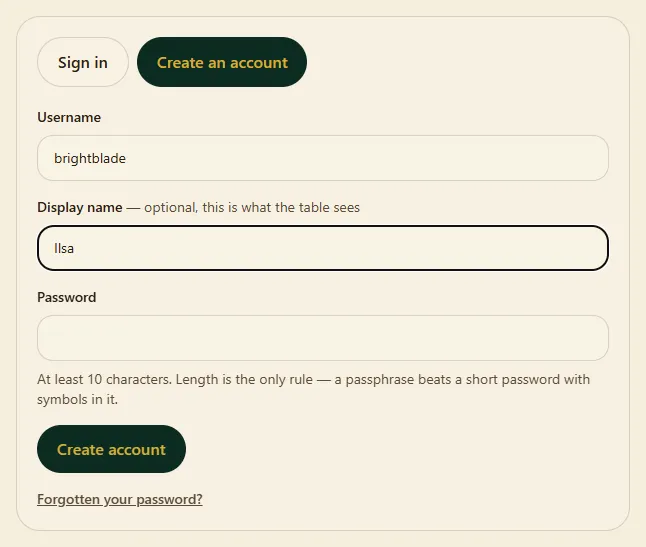
You need one to keep anything — to open your own table, keep a character, build an adventure or make rules in the Forge. An account is a username and a password. No email, about forty seconds.
Your friend running the table has a 6-character code and an invite link.
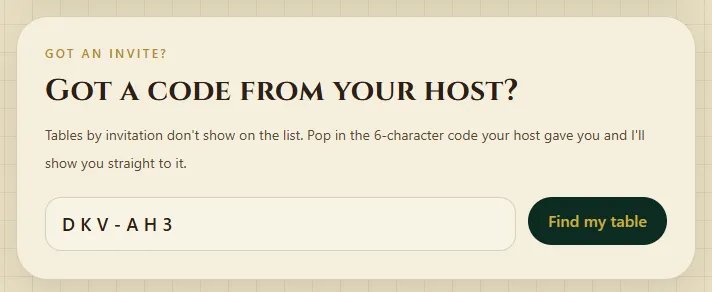
Open the invite link they sent you, or go to Games, find Got a code from your host?, type the code and press Find my table. (On the home page, I've got a code takes you there.)
Type the name you want to be called at the table.
Choose who you are playing, or come without a hero for now.
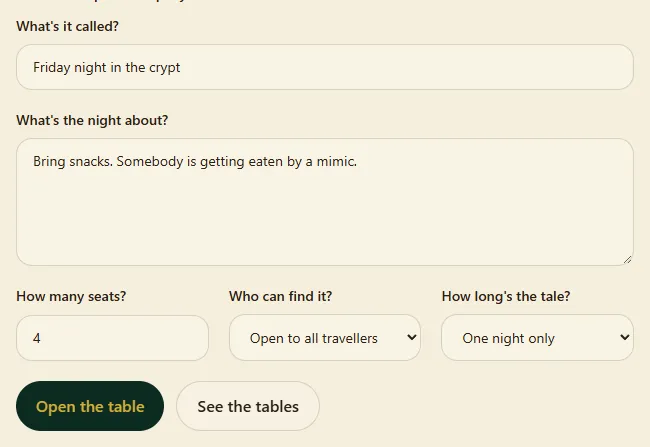
Give the table a name, say how many seats, and pick who can find it: Open to all travellers, By invitation (the code is the only way in) or Closed doors. Press Open the table.
Send your friends the code or the invite link.
You're at the table. Friends press I'm ready; you press ▶ Start the game when you want to begin.
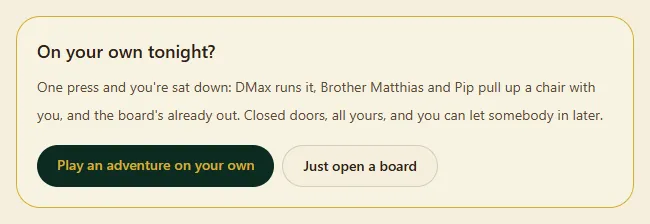
Yes. On the Start a table page, under On your own?, press Play an adventure on your own to pick a finished adventure, or Just open a board for a table behind closed doors where DMax runs things and Brother Matthias and Pip sit down with you.
Signed in, the home page also has a Play tonight card: three adventures, each with ▶ Play it now. One press copies it to your shelf and opens a table.
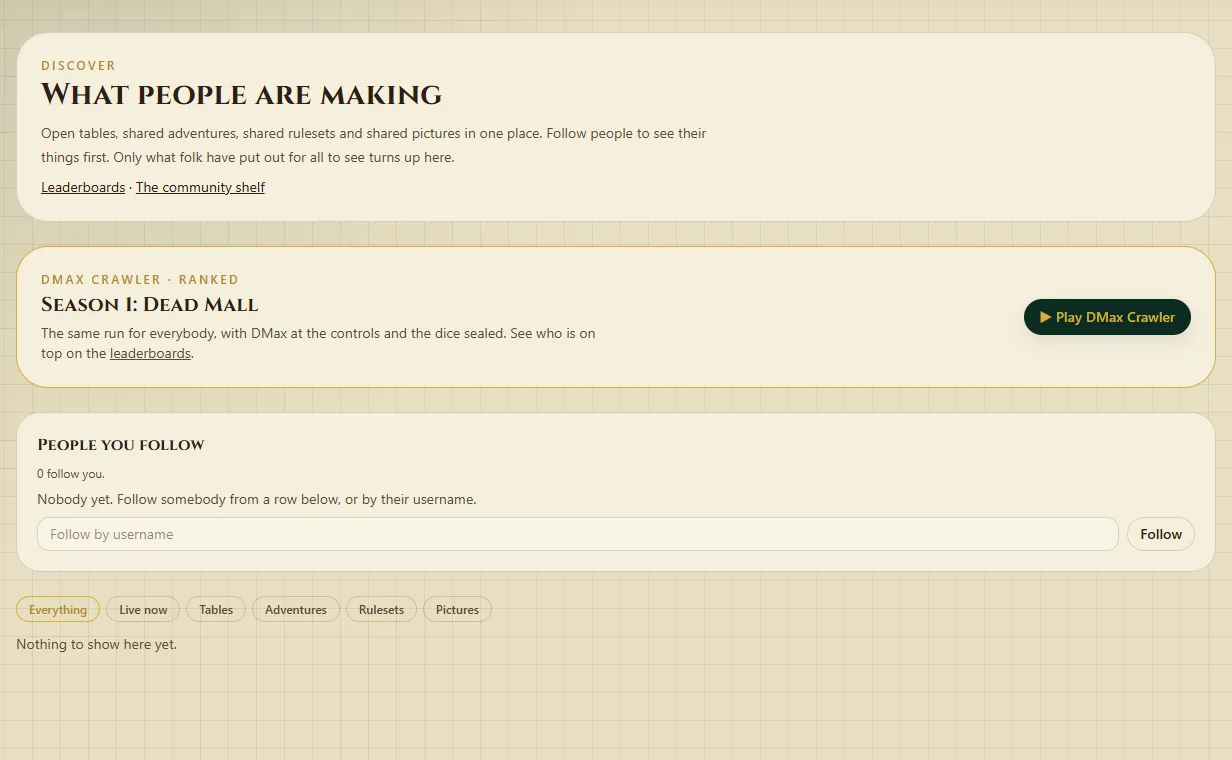
Games lists tables open to all travellers that have an empty seat. Discover shows those, tables anybody can drop into, live streams to watch, and adventures people have shared.
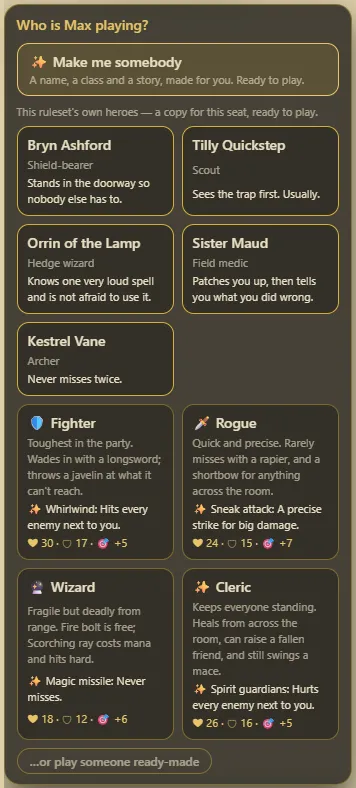
When you sit down the table asks Who is … playing?. You can pick a hero from the list (which heroes depends on the world — Fighter, Rogue, Wizard or Cleric in a fantasy one), press …or play someone ready-made, or press ✨ Make me somebody for a name, a class and a story made for you.
Signed in, you can bring a character you made on the Characters page instead. The one you used last time is first, marked (last time). Come without a hero skips it for now.
What the picker offers depends on the adventure's world.
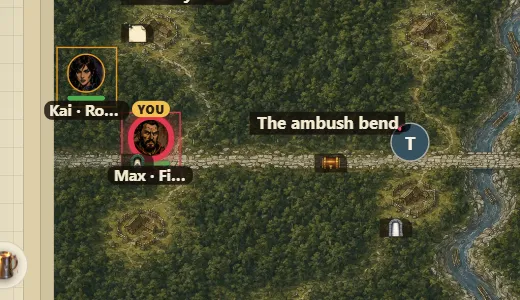
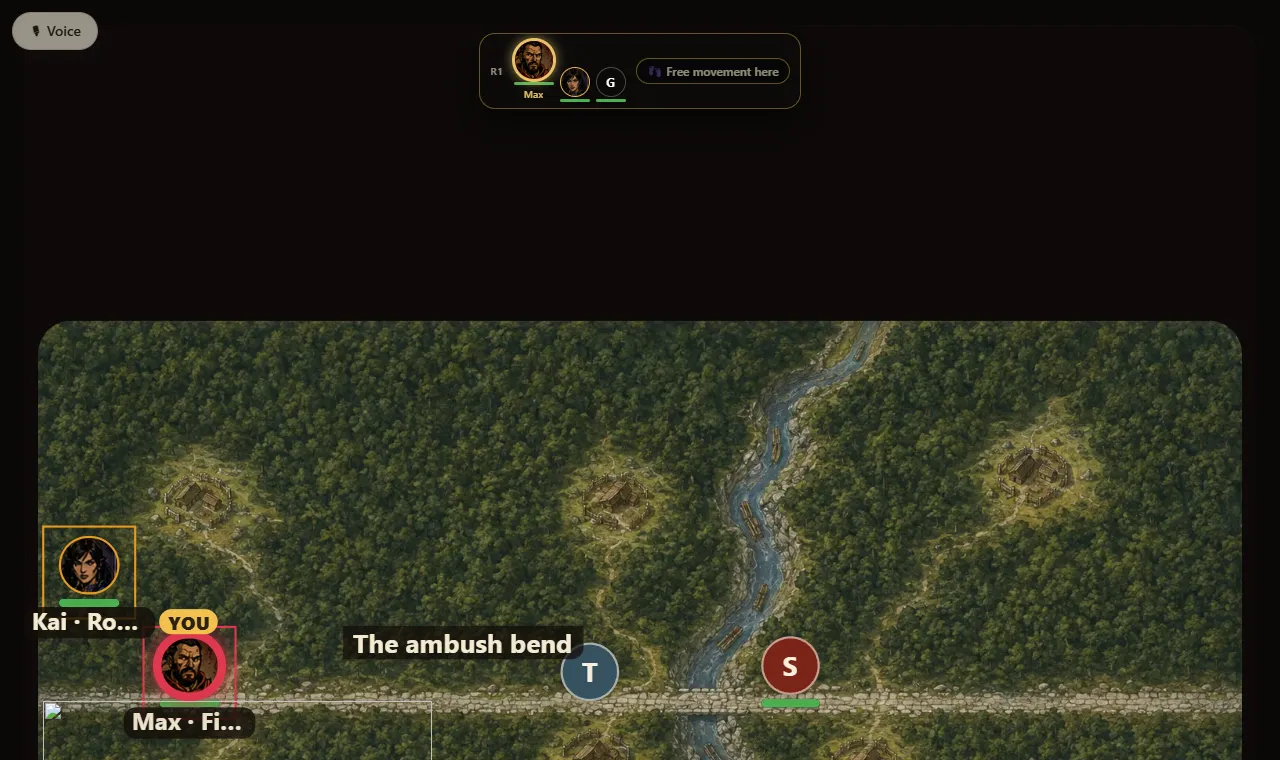
Tap your piece, then tap the square you want, or just drag it. Outside a fight you can move freely.
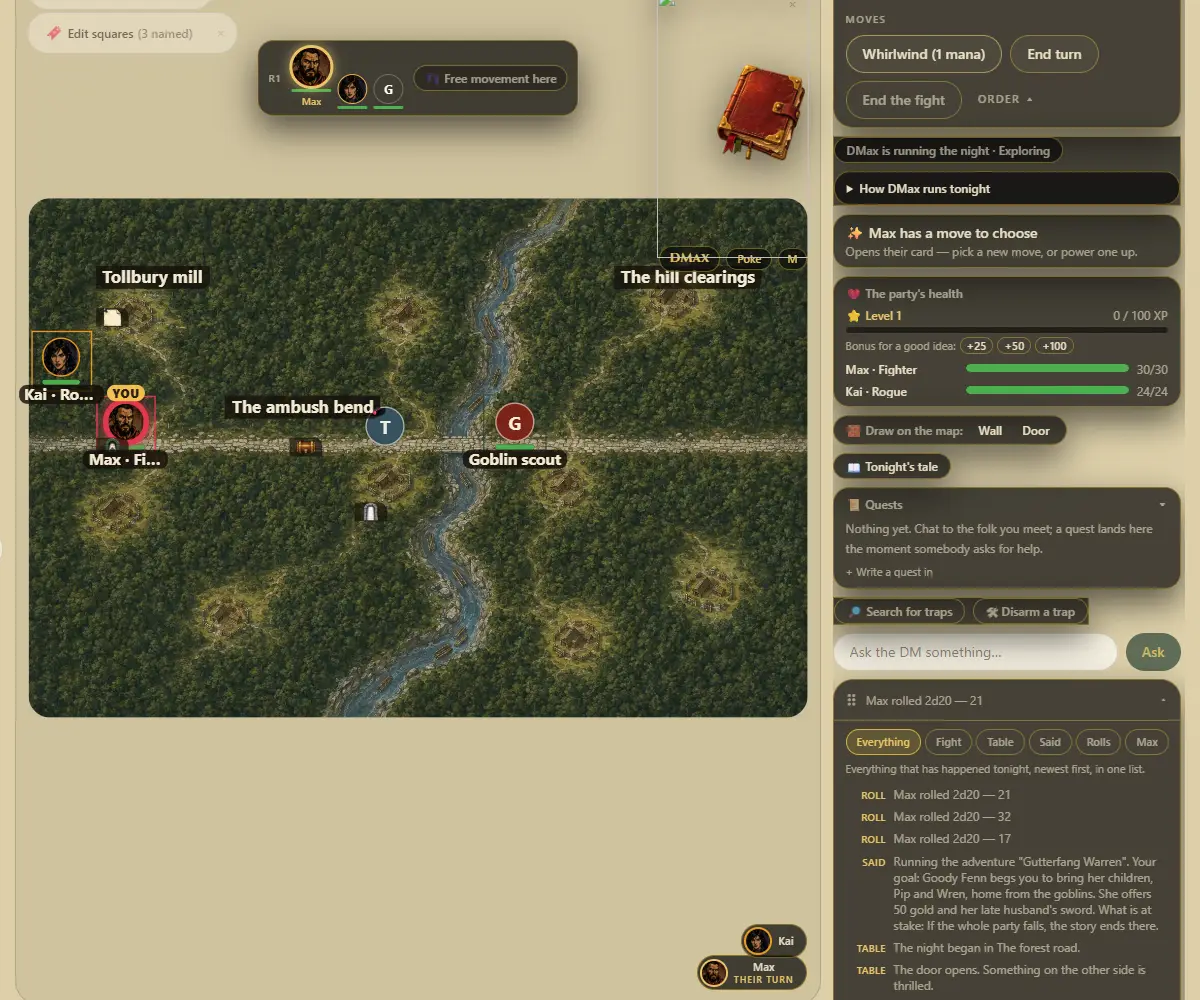
In a fight you move only on your turn, and only as far as your hero can go. The strip along the top shows 👣 squares left. Walls and shut doors may stop you, depending on how the person running the table set them.
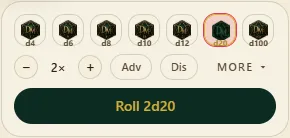
The dice tray sits under the board. Pick the die, how many with − and +, and Adv (roll twice, keep the higher) or Dis — then press the big Roll … button, which names the roll (like Roll 2d20). Under More, type any roll like 2d20kh1+7 and press Roll it.
The server rolls, not your computer, and everybody sees the result the moment it lands, with a history of what the table has rolled.
The person running the table presses Start combat. Everybody gets a place in the turn order, shown along the top.
On your turn, tap an enemy (it has a red ring), then press one of your Weapons (named for the weapon, like Longsword) or a Move in the turn panel — then End turn. If something is too far away, the game says how far.
Monsters take their own turns: they walk up and swing. Anybody who drops to zero fades out; healing brings them back into the order.
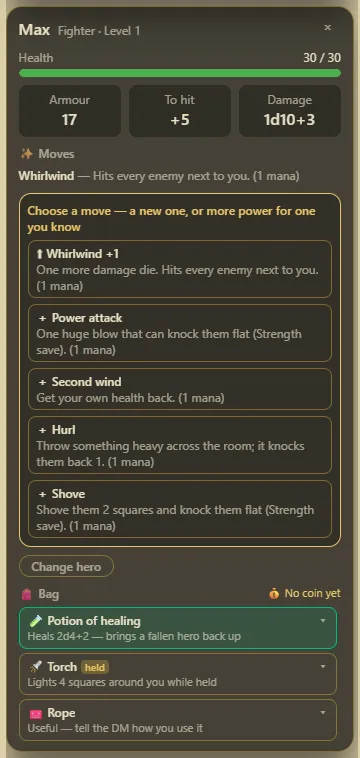
Tap your piece. The character card shows health, mana (in blue), armour, to-hit, damage, your ✨ Moves and what you carry. You can drink a potion from it.
Tap any number to see everything that went into it — including the bonuses that did not apply, and why.
Stand next to it and press Take it. Coins add up in the Purse under the party's treasure.
If it says it is locked, ask the person running the table — they have Open it for them. Playing your own saved character, you also get 🎒 Keep it on my sheet, so it comes home with you.
On your turn, type in the Ask the DM something… box and send it. The person running the table answers — or DMax does, at a table he runs.
How do I find out if the rules let me do something?#
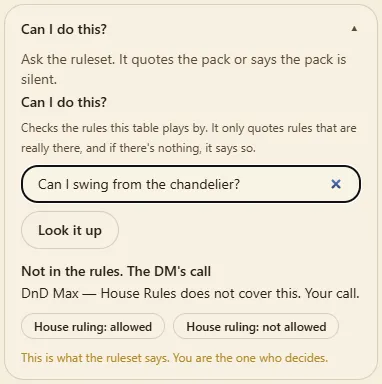
Open Can I do this? and type your question, like swing from the chandelier onto the ogre?. The answer comes from the table's own ruleset, not from somebody's guess. The person running the table still has the final say.
This table had no ruleset chosen, so the answer says there is nothing to quote.
Use the Emotes row. On the screen that holds the table, the number keys 1–9 and 0 fire them too. If several people share one screen, Emoting as picks who the reaction is from.
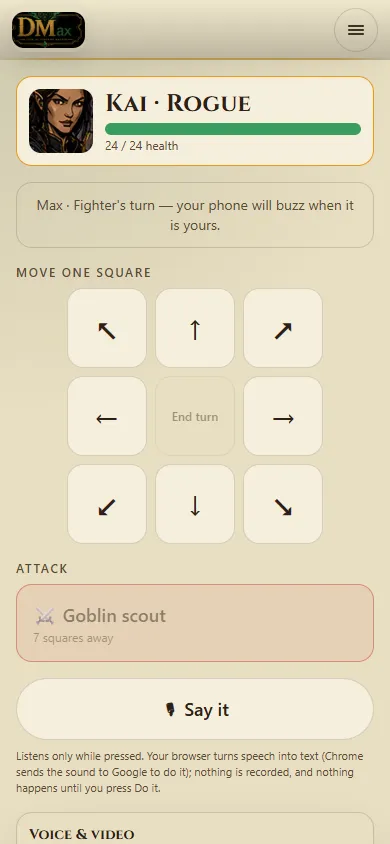
Yes. Join the table on your phone and press 📱 Phone controller. Your phone shows your hero's face, health and DMax's latest line, while the board stays on the big screen.
On your turn it says Your turn! and buzzes once (iPhones do not buzz). You get Move one square buttons, attack buttons with the nearest enemies first, Take it, Talk to and quick dice.
Spells and potions are not on the phone yet — use the table screen for those.
In Chrome, on the phone controller or the projector view, press 🎙 Say it and talk — "I attack the goblin", "move north two", "roll a d20". It shows what it heard, and nothing happens until you press Do it.
Chrome sends the sound to Google to turn it into words, and the button is hidden in browsers that cannot listen. It has not yet been tried on a real phone or TV.
What is the difference between watching and sitting down?#
Sitting down gives you a seat, a piece and a turn. Watching — from a watch link, a live stream, or a table that is full — shows you the board as it happens, but you can never touch anything.
After about a minute and a half your seat says away — turns pass, and in a fight your turn passes on its own. Open the table again and the log says you are back. The host is never marked away.
Stand at an exit. Your screen shows where it leads and a We want to go on button — press it and the person running the table is told. Only they can take the whole party through.
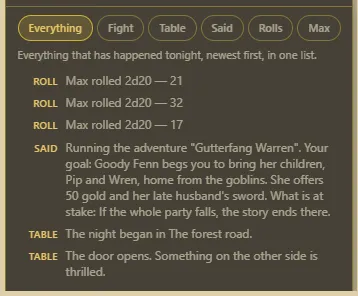
Open the log. Everything shows rolls, what happened at the table and what was said, newest first. The other tabs narrow it: Fight, Table, Said and Rolls. Max shows DMax's answers when you ask what a number means.
Some rulesets give heroes things to spend, like Luck. Spend one uses one, and everybody sees it. When you run out it tells you, in the ruleset's own words. The person running the table can Give back.
Where:Spent and held
How do I talk to the table in writing, or whisper to one person?#
Press 💬 Chat at the bottom right of the table. Type to everybody, use /me for an action, /roll 2d6+1 to roll with the table's own dice, and @name to get somebody's attention.
To whisper, pick a person in the panel or type /dm to whisper to the host. The top of the panel says whether the host can read whispers at this table. The host can remove a line or mute a seat, and anybody can Report a line.
Where:At a table: 💬 Chat
How do I talk out loud with my table (voice and video)?#
Press 🎙 Voice at the bottom left of the table, then 🎙 Join with microphone or 🎥 Join with microphone and camera, and allow your browser to use them.
Push to talk is on: hold Space (or 🎙 Hold to talk) while you speak, or tick Open mic. A seat's circle lights gold while they talk; Gallery shows every camera. The host can Mute, Camera off, Remove and 🤫 Quiet everyone.
Every seated hero has a 🎒 Bag on their card. Wear or Hold a thing to change armour and attacks, Use it to drink, read or throw it (in a fight that is your turn's action), Give it to a friend beside you, or Drop it.
Take it on a find puts it in your bag and money into the party purse. Keys open locked doors and chests; lockpicks ask for a roll. Traders sell and buy for the party's coin.
Where:At a table: your hero's card → 🎒 Bag
How do I play my own hero on somebody else's screen?#
On the shared screen open Seats → Sign in to a seat, then Sign in to this seat with your username and password, or Use my phone and confirm the code there. The host stays signed in as the host.
Your seat plays your own hero, and what it finds, its awards and its progress go home to your account at the end of the night.
Because that is all your hero can see. With light and sight on, the map is dark until somebody carries a light into it, and each hero sees their own view — round a corner is round a corner, and a wall between you and a room means you do not see the room.
Carry a torch. Your hero’s own light moves with them and the dark gives way as you walk. The glow flickers a little; if that bothers you, reduced motion turns it steady.
Darkvision is different, not better. A hero who has it sees without a light at all, but what they see is drawn differently — shape without colour — so it is clear which is which.
You are not being shown less than you should — what each hero can see is worked out on the server, and only their own view is sent to their screen, so nobody can read a teammate’s secret out of their own browser. The host can turn the whole thing off for a table that would rather see everything.
Where:At a table: the 🔦 and 🌑 controls on the board
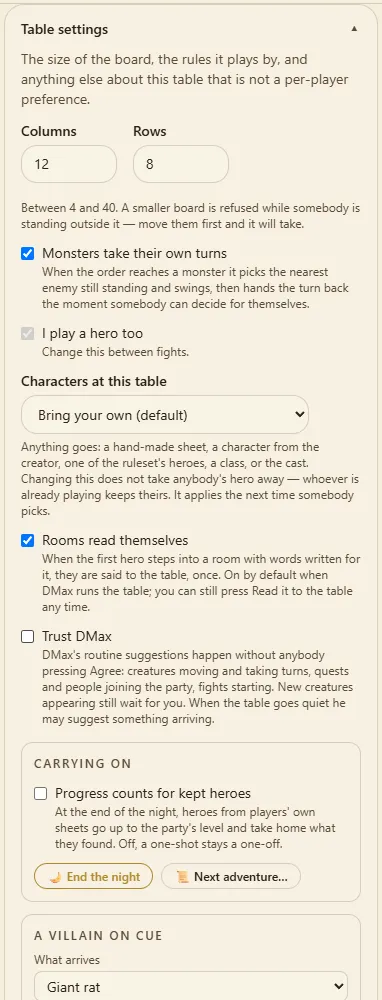
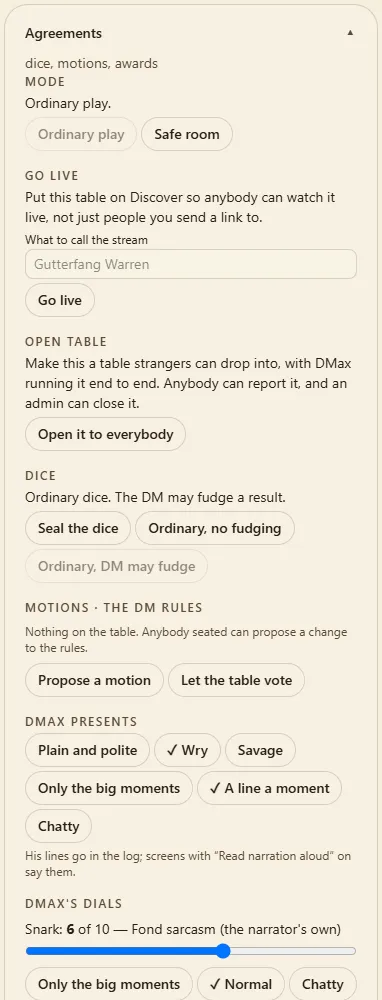
In the side panel at your table. Table settings holds who runs the table, the ruleset, walls, turns, which heroes are offered and more — it works before the night starts, too. Agreements holds what the whole table agrees to: dice, votes, going live and opening the table.
If you cannot find a control, the side panel has a search box — try walls or key.
Only if you want one. Table settings → I play a hero too is off when you run a table for other people. Turn it on between fights and your piece appears; during a fight it waits.
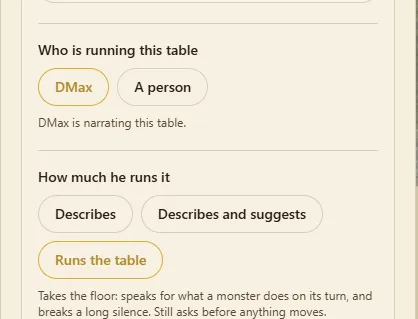
Table settings → Who is running this table: DMax (he narrates, reacts and takes a seat) or A person (he goes quiet and gives up his seat).
With DMax, How much he runs it goes from Describes to Describes and suggests to Runs the table. Trust DMax lets his moves happen by themselves with a line in the log — but new creatures always wait in Suggestions for your Do it or No.
Where:Table settings → Who is running this table
Can I say what kind of characters my table takes?#
Yes, as host: Table settings → Characters at this table. Bring your own is the default — anything goes. Or ask for Built in the creator, Rolled stats only, Point buy or array only, or Ready-made heroes only. Changing it never takes anybody's hero away; it applies the next time somebody picks, and heroes that don't fit show greyed out with the reason.
The things the table settles together. Everybody seated can read it; the host changes most of it. Depending on the ruleset it holds: Mode, Go live, Open table, Dice, Motions, Milestones, DMax's voice, Duties, Leaderboard, DMax Presents and Awards.
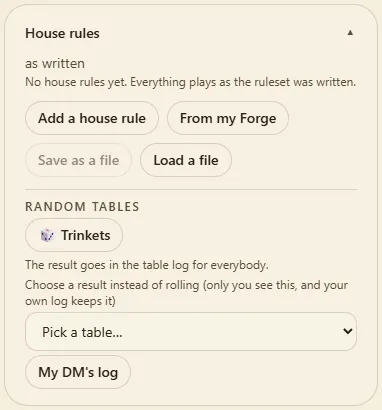
Open House rules. Everybody seated can read each rule as plain sentences. As host you can Switch off or Switch on a rule, Add a house rule, bring one From my Forge, or Save as a file and Load a file. Every change goes in the log.
Anybody seated opens Agreements and presses Propose a motion.
Say it in a sentence (flanking gives +2 tonight), choose For tonight or For good, and build the change.
Everybody votes Aye or Nay — a majority carries it. Or the host decides with Carry it or Turn it down; the host switches between Let the table vote and I'll rule on motions.
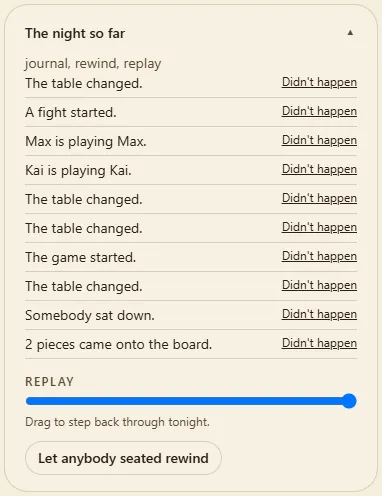
Yes. Open The night so far, find the moment, press Didn't happen beside it and confirm. The table goes back to exactly before it — dice and turn order included — and the rewind is itself written down.
Choose Let anybody seated rewind or Only I can rewind. The Replay slider steps back through the night without changing anything.
Before the first roll, the host presses Agreements → Seal the dice. Every seat sees Sealed tonight with a fingerprint, and players may type into Add your own words to the dice before anything is rolled. Once rolling starts it cannot be changed.
Afterwards, Check the dice works out every die again and says whether they all match. Unsealed, the host picks Ordinary, no fudging or Ordinary, DM may fudge, and everybody can see which.
Agreements → Open table → Open it to everybody. The table appears on Discover for anybody to join, and DMax runs it from start to finish. Anybody can report it, and an admin can close it.
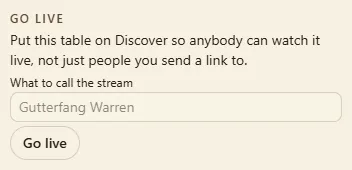
Agreements → Go live: give the stream a name and press Go live. Your table goes to the top of Discover under Live now, and anybody can watch — nobody watching can touch anything. You see how many are watching now and the most at once.
End the stream turns the link off; its page then says the stream has ended. Going live again makes a new link. How it holds up with a big crowd has not been tested yet.
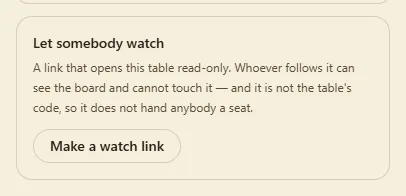
Under Let somebody watch, press Make a watch link and send it. Copy it straight away — it is not shown again after a reload. New link replaces it, and Stop letting people watch turns it off.
The host decides, and the table helps. When every hero has fallen, or the party is on a map with no way onward and nobody left standing, or the main quest is done, the host is asked Is that the end of the adventure?, with 🎉 End the adventure or Keep playing.
The host can end it any time from 🏁 End the adventure on the table: We won, We fell, or Just stop here for tonight. Every ending shows a card for the night: foes down, quests done, rounds, minutes and the night's MVP. A table DMax runs ends itself the same way.
In your hero book. Press I or B, press the book lying on the table, press your own piece twice, press 📖 Book on your hero's card, or open your seat and press 📖 hero book.
Its tabs are what your hero has, in your ruleset's own words: Overview (face, level, health, how you are), Stats (where every number comes from), Inventory (use, wear, give), your Spells, Songs or Moves, Details, Awards and Quests. If you play more than one seat on this screen, switch between them at the top.
Somebody asks, and it lands in 📜 Quests (and your hero book's Quests page) with each step it needs: get something, take somebody down, reach a place, talk to somebody, or bring somebody somewhere. Steps tick themselves off as you play. Some are optional, some quests can be done one way or another, and some fail if the wrong thing happens.
Some are handed in: once everything's done, go back to whoever asked. Standing beside them hands it in; they take what you fetched and the party is paid (experience, coin, items). A finished quest can lead straight into the next one. In the builder, a note or a person's Quest box writes all of this.
Where:📜 Quests at the table; the Quest box in the builder
Every class has a trademark from level 1: a Fighter is harder to hit, a Marine is harder to drop, a Solo hits back when a blow misses them, a Cleric's heals past full become a ward. More always-on features arrive as the party levels up (2, 5 and 9 for your kind of hero).
At level 3 you choose a path, for good: three per class, named for your world (a Fighter can become a Guardian who covers the friend beside them, a Berserker who gets dangerous when hurt, or a Duelist). Each path adds its own features at 3, 7, 11 and 15. Your hero book lists them all, with the ones still to come dimmed, and its Stats page shows what your features add to each number.
Your class has its own moves, too: nine only it has (a Fighter's Shield bash, a Marine's Frag grenade, a Netrunner's Reboot optics), on top of the thirteen every hero of your kind shares. Pick them when you level up, like any move.
Where:Your hero book (I or B) → Abilities; 🧭 Choose your path on the Overview
Yes: knacks. Every class has three, on your hero book's Abilities page, each with a Use it button. They come at levels 1, 2 and 4 and cost one of your class's resource (mana, charge, grit…).
There are four kinds, and every world has all four somewhere in the party. A light or eyes for the dark that last until the next rest. Opening a locked or stuck door, or a locked chest, right beside you. Finding what's hidden nearby: secret doors, traps and anybody lurking. Talking to animals, the dead or machines until the next rest: walk up and talk to them like anybody else.
Where:Your hero book (I or B) → Abilities → Knacks
Yes, on House Rules tables. Every people has its edge from the creator plus two traits. A Dwarf takes half damage from poison and is good at Constitution saves; an Elf sees in the dark and is hard to charm; a Synthetic shrugs off poison and has optics for the dark.
Every background gives a skill and a feature. A Soldier is trained in Athletics and hits a little harder; a Noble talks people round and wears finer armour. A trained skill adds 2 when DMax asks for that check. Your hero book's Abilities page lists them under Your people and past, and the creator shows them as you pick.
Where:Your hero book (I or B) → Abilities; the hero creator's Ancestry and Background steps
Can the dice answer a question, or make up a name or a rumour?#
Press 🎲 Tables & oracle on the table. Type a yes-or-no question (Is the guard asleep?), pick how likely it is from Almost certain to Almost impossible, and press Ask. Sometimes it's Yes, and… or No, but…: better or worse than you asked. A double (like 33) throws in a twist. Perfect for playing on your own.
Below that are your world's tables, whatever rules you play by: names, how somebody comes across, rumours, weather, complications, encounters in the wilds, in town and below ground, what's lying around in a room, and Treasure. Treasure says its tier first (common to legendary), then gives a real item that goes straight into your hero's bag. Every result goes in the table log for everybody.
On your hero book's Crafting page (the band calls it the Merch table, Semester the Cram night). Each recipe shows what it needs and what you have; when you have it all, press Make it. Making something takes a roll: a great roll makes a better one, a miss can waste the ingredients.
Ingredients turn up with treasure, traders sell the everyday ones, and the page lists what in your bag can be taken apart for parts. Some recipes are locked until you find their page with treasure; carry it and you can make them. Not in the middle of a fight.
Where:Your hero book (I or B) → Crafting
How do I end the night and keep a campaign going?#
Out of a fight, press Table settings → 🌙 End the night. Tonight goes into 📚 The book so far. On a table made with Game type: Campaign, players' own saved characters catch up to the party's level and take what they found home.
Next time, 📜 Next adventure… loads another of your adventures at the same table, keeping levels, treasure, quests and the book. A One-shot table keeps kept heroes as they were unless you tick Progress counts for kept heroes (it starts off).
Open a table that has been left alone for three hours and DMax reads a recap of the night. A Previously on… card covers the table until somebody presses Let's play.
Press 📽 Open the projector view. A new window opens with only the board, as the players see it — nothing secret. Drag it onto the big screen.
It shows a code people can scan to join from their phones, and a dice tray along the bottom catches every roll. The corner menu has ⛶ Full screen, 🔆 High contrast for a washed-out picture, and 📏 Real minis, which sizes the squares to one inch for real miniatures.
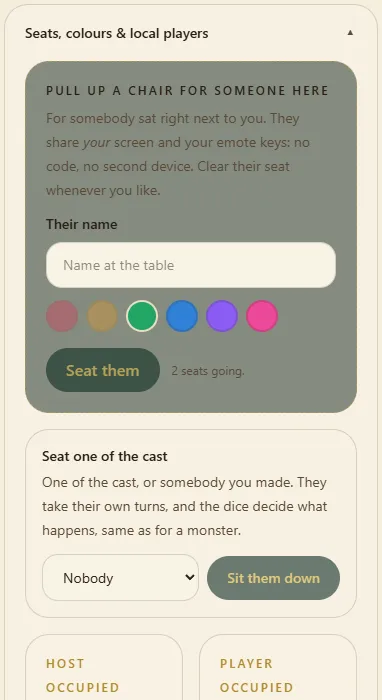
Yes. Open Seats, colours & local players, press Add a local player, type their name and press Seat them. Each one gets their own hero choice and their own piece.
Press Start combat. On a monster's turn, press Run its turn and it walks and attacks by itself. Under each fighter's health, +1 / +5 / −1 / −5 adjusts it by hand. End the fight stops it at any time — nobody has to fall for it to end.
To bring a creature from the map into play, tap its square and press Onto the board (or …as a friendly for an ally). One added mid-fight joins the turn order.
Table settings → Walls has three choices: Advise lets people through with a note in the log, Enforce stops them, Off ignores walls. It only counts during somebody's turn in a fight.
Open and shut doors from the Doors panel, or tap a door on the map. Players open doors themselves lets players do it. 🧱 Draw on the map → Wall adds a wall during play.
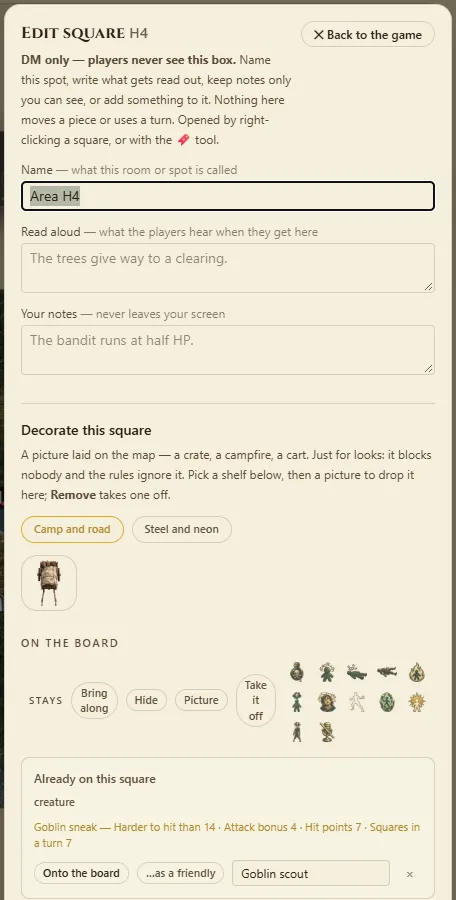
Use the right mouse button on the square on a computer, or press 🔖 Edit squares and tap it on a phone. The name is written on the map from then on, and your notes on it are yours alone: nobody else at the table ever sees them.
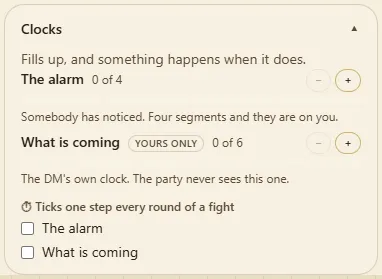
The Clocks panel holds countdowns like The alarm. Press + or −, or press a segment to jump to it. A clock marked yours only never appears on a player's screen.
Table settings → A villain on cue: pick a creature, give it a name and press 🎭 Stage its entrance. It waits in Suggestions and steps onto the board only when you press Do it. This works without DMax.
📖 Tonight's tale puts the evening on one card, starting with a strip of four pictures. Copy to share copies the words; 🖼 Save the picture saves it as one image or opens your phone's share sheet.
In House Rules your scores only ever help: Strength adds to attack and health, Dexterity to armour (and one more square at 15), Swagger buys extra Luck. A trained skill adds 2 when DMax asks for that check. Your class packs its weapons and spells as a Starting kit.
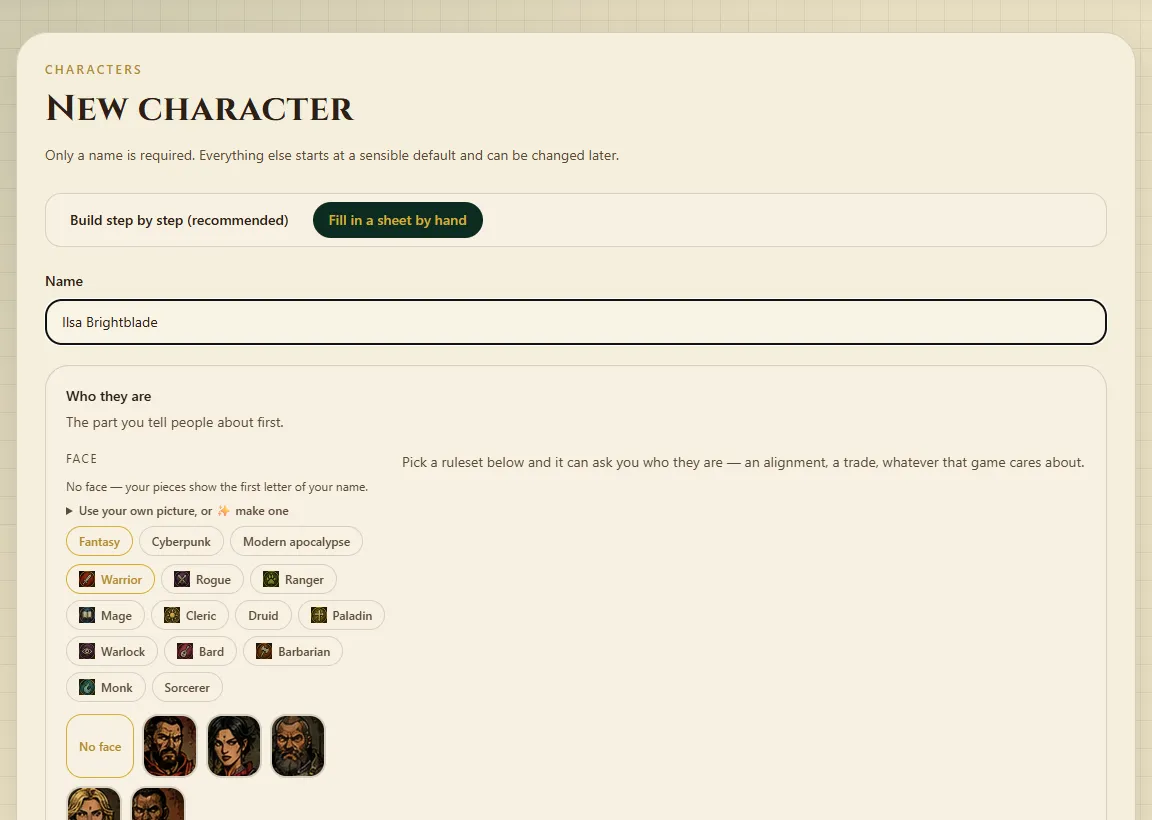
Sign in, open Characters and press New character.
Choose how: Build step by step (recommended) or Fill in a sheet by hand.
Step by step: pick a ruleset, then answer its questions. The strip at the top ticks each step as it is done. On House Rules: World, Class, Ancestry, Background, Abilities (point buy, the standard array or the dice), Skills and a first spell or move. Use the class defaults fills a step in one press.
Check the Review at the bottom — every number with the reason for it — then press Keep this character.
By hand: only a name is needed. Add gear under Inventory and spells under Spellbook.
At the top of Build a character, describe who you want in a sentence (a nervous halfling cook who fights with a skillet) and press ✨ Draft. DMax suggests every part — world, class, ancestry, background, scores, skills, name, looks, personality, backstory and hooks for your DM — each with Keep, Change and Redo. Nothing changes until you press Keep (or Keep all).
Only want help with one thing? Use Help me with: and ✨ Suggest. The ruleset checks every suggestion, and anything it would not allow is left for you to pick, with the reason. DMax never rolls your scores — roll them yourself if you want them rolled. You need an account; 20 drafts a day.
On a character you built in the creator, press ⬆ Level up on their card. The creator opens one level up with everything they had held; whatever the new level opened (a new spell or move at 3, 5, 7, 10, 14 and 18) is waiting at the top, and their health goes up. Save to keep it. Hand-made sheets get Rebuild in the creator instead.
How do I print my character, or save them as a PDF?#
Only you can open your own sheet. The app's menus don't print.
Open Characters and press 🖨 Print on a character, or 🖨 Print sheet on their card.
Pick a style: DnD Max house style or Classic sheet (black-and-white boxes with room to write).
Press 🖨 Print. For a PDF, choose Save as PDF as the printer.
Sign in before you join. When you sit down, your heroes are offered; the one you used last time is already picked. The quick join says Bringing …, with Come without a hero beside it if you would rather not.
It makes a hero for you in one press: a name, an ancestry and a line about who they are. The class always comes from the world's own list, so they are ready to play straight away. Each player can do it five times a day.
Yes. In Who is … playing?, press …or play someone ready-made — Brother Matthias, for one, comes with his face, his card and his own spells. Some rulesets bring their own; MAX LEVEL offers five crawlers first.
The Characters page also shows the people who came with the app.
Felled monsters give experience. The ⭐ bar under the party's health fills, and at the top the whole party goes up a level. Everybody then gets a new move to choose — a gold button waits in the turn panel.
Moves like Magic missile or Whirlwind are on your card and may cost mana. Quests appear under 📜 Quests when somebody gives you one.
Playing your own saved character, press 🎒 Keep it on my sheet on something you found, and it goes onto their sheet. When the host ends the night, kept heroes also take the night's finds and the party's level home.
A class hero picked at the table is not saved anywhere, so it gets no button.
How do I give my hero a face, or use my own picture?#
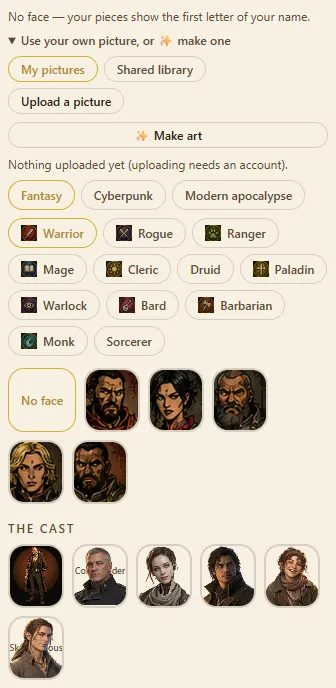
On the character's page, choose a face. Use your own picture opens your picture library: My pictures, the Shared library, and Upload a picture. Pick one and it becomes the face on every screen.
Your account page also has Your face on the board, used when you join a table. ✨ Make art can draw one from a description (see Building adventures).
During the night they show in the Table deck under dice, motions, awards. When the host presses End the night, they are written to your hero if it is one of your own characters, and listed under 🏆 Awards on its card (Characters → your hero).
A ready-made or class hero has no card of its own to take them home to, so play your own character to keep them.
A map (or several) with your notes on it: rooms you have named, the things in them, words read aloud to the table and notes only you ever see. It saves to your shelf on the Adventures page as you go. Building one needs an account.
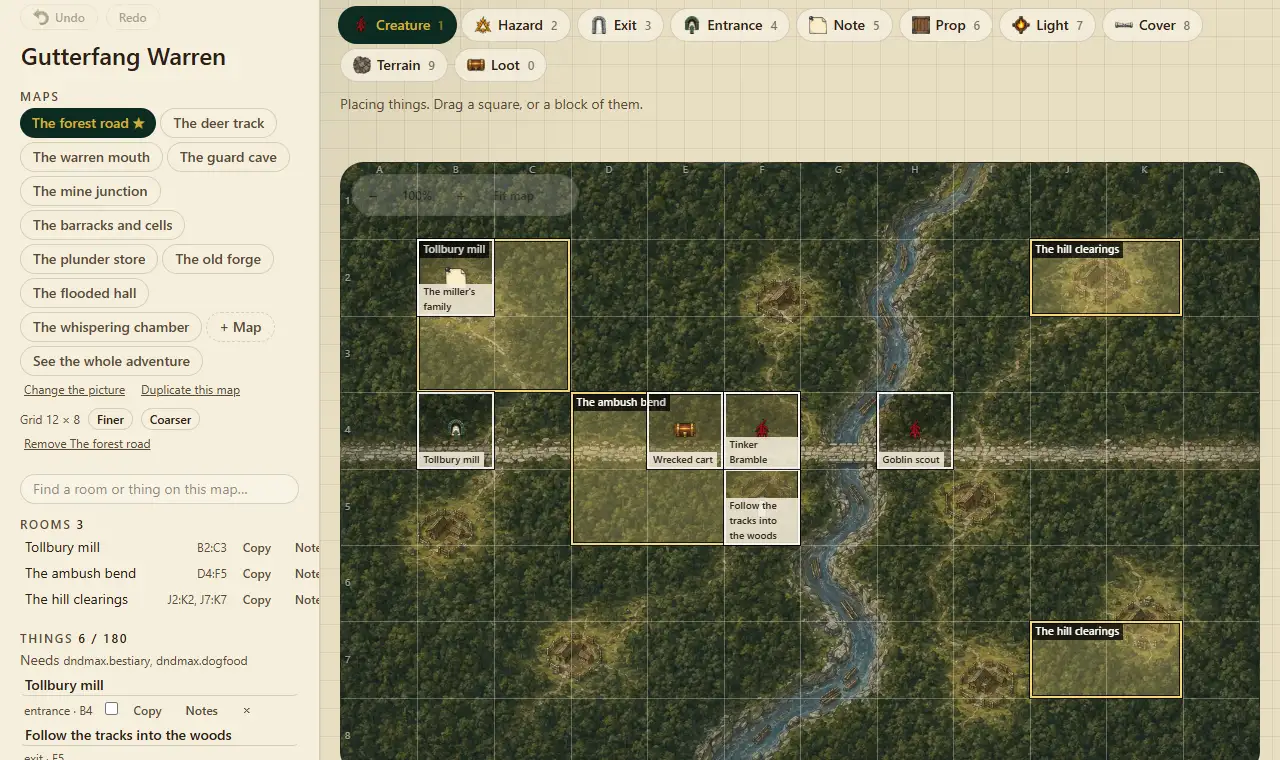
Press Place a thing. Ten buttons choose what it is — a creature, treasure, a hazard, a light, an exit, an entrance and so on — and the number keys 1–9 and 0 pick them too. Drag over a square (or a block), name it and press Place it.
Each thing can have Read aloud words, Your notes — never leaves your screen, and When do players see it?: as soon as the map is shared, once a piece walks in, or only when you say so. Tick Friendly for a person rather than a monster, Locked for a locked chest, and fill in Quest to give the party a quest.
Press Draw a wall and drag along a grid line, then choose what kind of boundary it is — a wall, a door, a window, a curtain and more. Outline puts walls all the way round a room you have drawn. Rub out takes one away.
What this ground is marks squares as water, deep water and so on. Deep water stops people; shallow water does not.
Open Charts and add one. A creature chart can arrive already filled with the ruleset's creatures in one press.
Name a thing on the map with a $ at the start — $Goblins — and it rolls on that chart when the table opens. If the chart does not exist yet, that makes it. At the table the host can roll one again from Roll a chart.
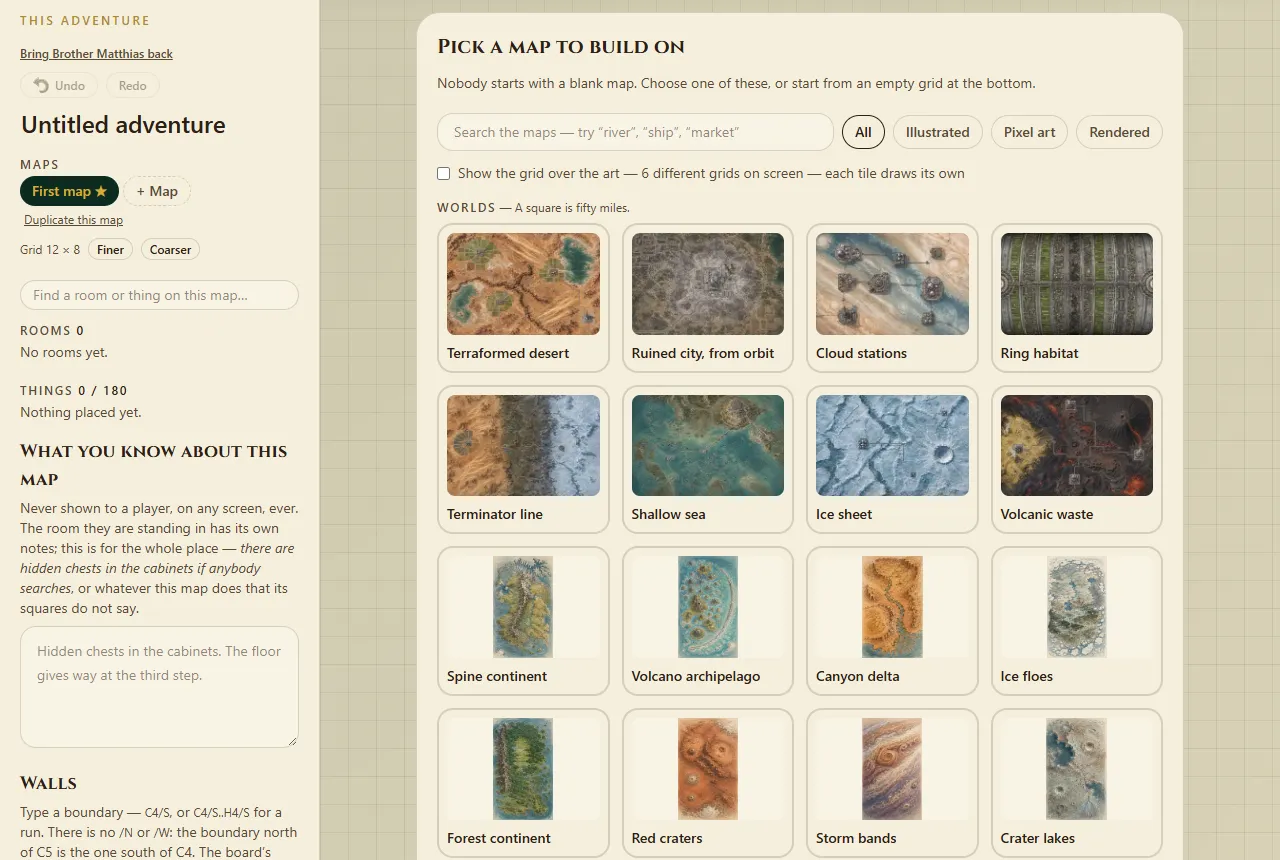
Press + Map to add one. Place an exit on the first map and an entrance on the second, then point the exit at the second map. Start here chooses where the party begins.
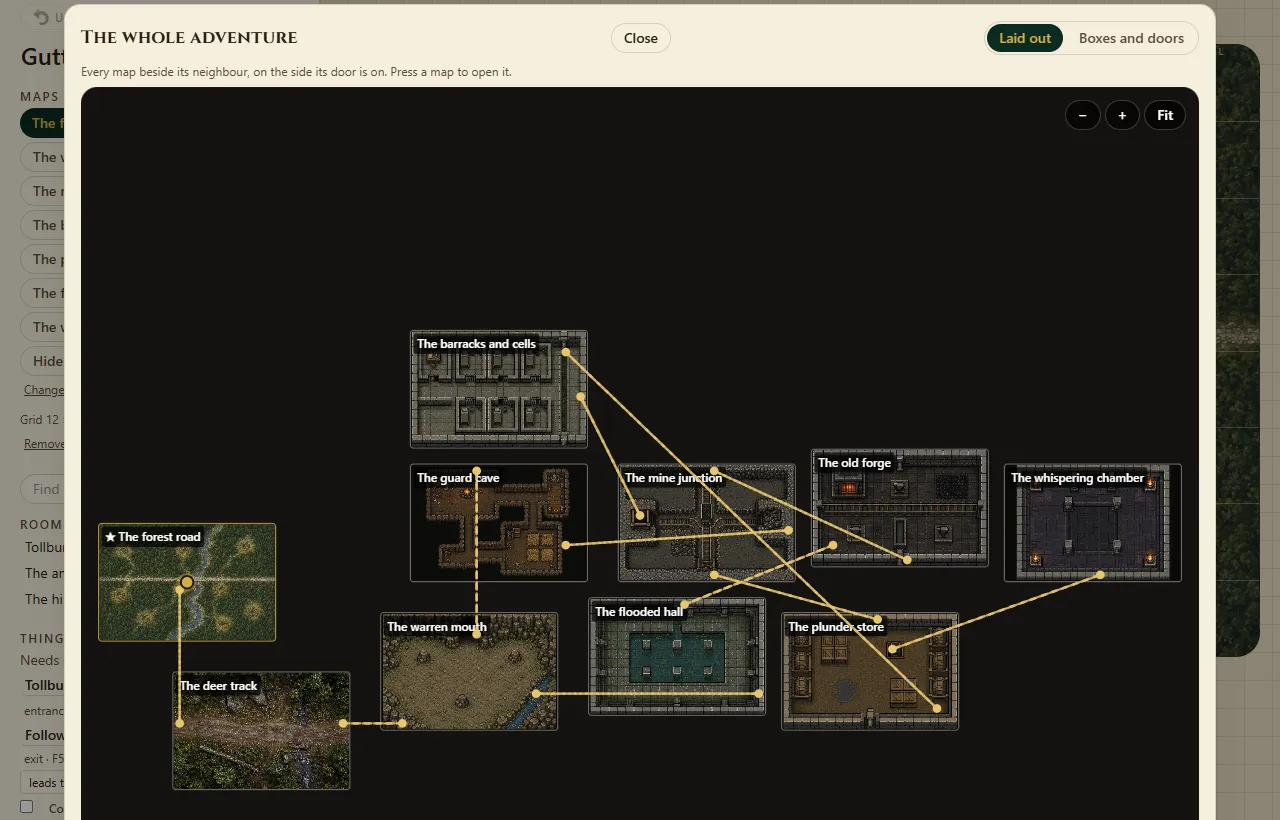
See the whole adventure shows every map at once, laid out door to door; on Boxes and doors you can drag from one box to another to join them. Duplicate this map copies a map with everything on it.
The squares do not line up with the picture. What can I do?#
Under the map's name, Finer and Coarser change how many squares the picture has, and your rooms move with it. In the map picker, Show the grid draws the squares over the picture so you can check. Maps whose squares nobody has checked carry a grid not checked mark.
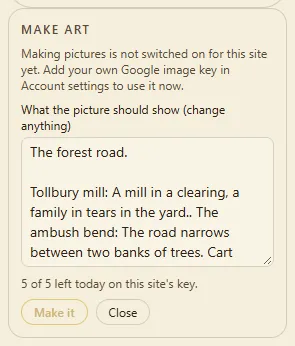
In the builder, press ✨ Make a picture for this map. The words describing it are filled in from the map's name and rooms — change anything you like, then press Make it. It takes a few seconds, and the picture is marked as made by a picture maker. ✨ Make art also appears for pieces and faces.
This needs the site's picture key or your own (Account → Your key for making pictures). If it says making pictures is not switched on, that is why. It is new: no real picture had been made on the live site when this was written.
Here the site's picture key was not set up, so the box says so.
Yes. At the table, the map picker has Or upload your own, Your maps, and maps From everyone — anything uploaded is credited to whoever brought it. In the builder, Change the picture swaps the picture under your rooms.
Press Play it. A new table opens with your rooms named and your things placed, and the party stands on the entrance you drew. Your adventure itself does not change.
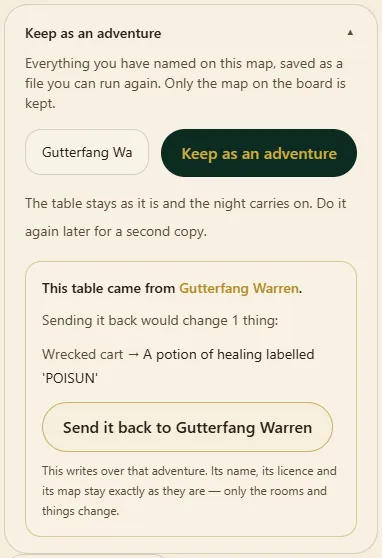
At the table, as host, open Keep as an adventure, name it and press Keep as an adventure. The rooms you named and the things you placed become an adventure on your shelf — or update the one the table came from, with a preview of the changes on every map. The game carries on.
In the builder, press Save to a file and send them the file. They open it from Open an adventure somebody sent you on the Adventures page, and it becomes their own copy. A file that is not an adventure is refused by name, never half-loaded.
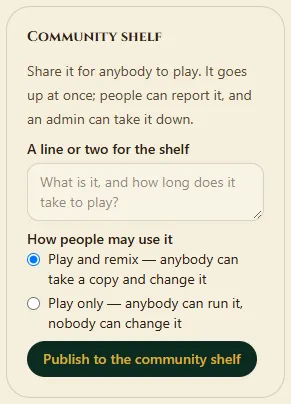
In the builder's Community shelf panel, write a line about it, choose Play only or Play and remix, and press Publish to the community shelf. If it uses pictures you uploaded, you are asked to confirm they are yours to share. Later you can publish a new version or Take it down.
Anybody can open The community shelf and press Play it. A play-and-remix one also offers Copy to remix.
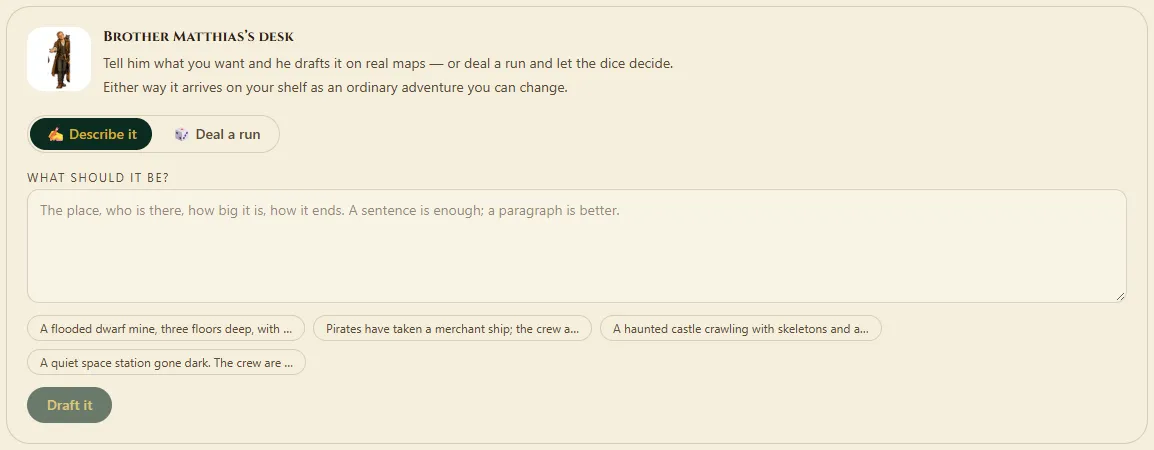
On the Adventures page, at Brother Matthias's desk, press ✍️ Describe it, type something like three floors of a haunted mine swarming with spiders and press Draft it. You get an adventure on real maps with room names, read-aloud lines and notes, ready to change. Twenty drafts a day.
Open the chat in the adventure builder's rail and talk to Dwarfy (or Brother Matthias). Ask him to Check my map, Balance this fight, Write the read-aloud, Make art for this room or Add a side quest here.
Every suggestion shows as a change you can Apply or Skip, and Undo takes it back. In the character creator, Ask Dwarfy answers questions about the ruleset's options.
DnD Max — House Rules (the default), the Bestiary, Worlds Without Number (SRD), Cities Without Number (SRD), Lasers & Feelings, Fate Core, Knave (first edition), Dungeon World, Masks: A New Generation and MAX LEVEL, several small example rulesets (Quickstart, Around The Fire, The Long Table, Whose Turn Is It, Grit & Nerve), plus any homebrew you make in the Forge.
Their licences are on the legal page. A few are only offered to accounts a site admin has given them to.
Table settings → Ruleset. The numbers, the words and the dice change to match. Some rulesets add their own panel — Lasers & Feelings adds Rolls, for example.
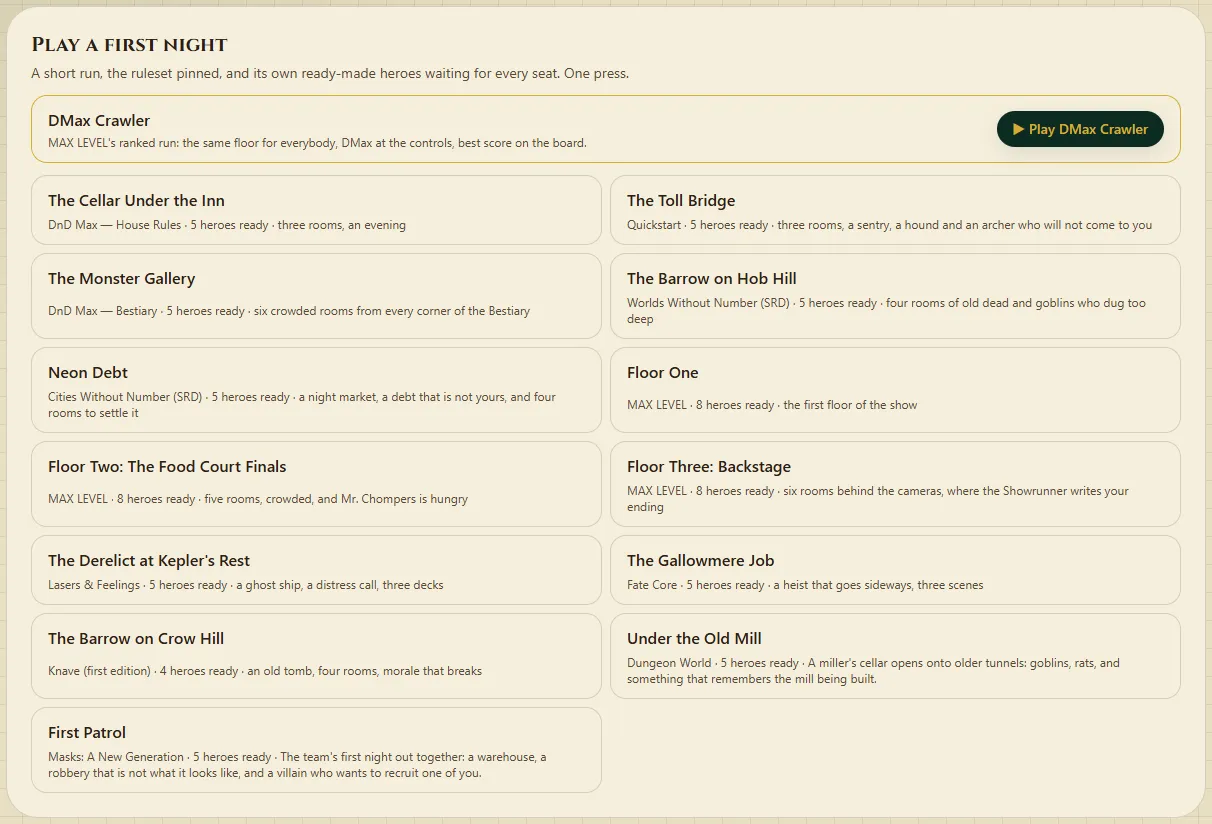
Sign in, then on the Forge page under Play a first night, one press deals a run, opens a table, sets the ruleset and walks you in. The Cellar Under the Inn (on House Rules or the Bestiary) and MAX LEVEL's Floor One are there.
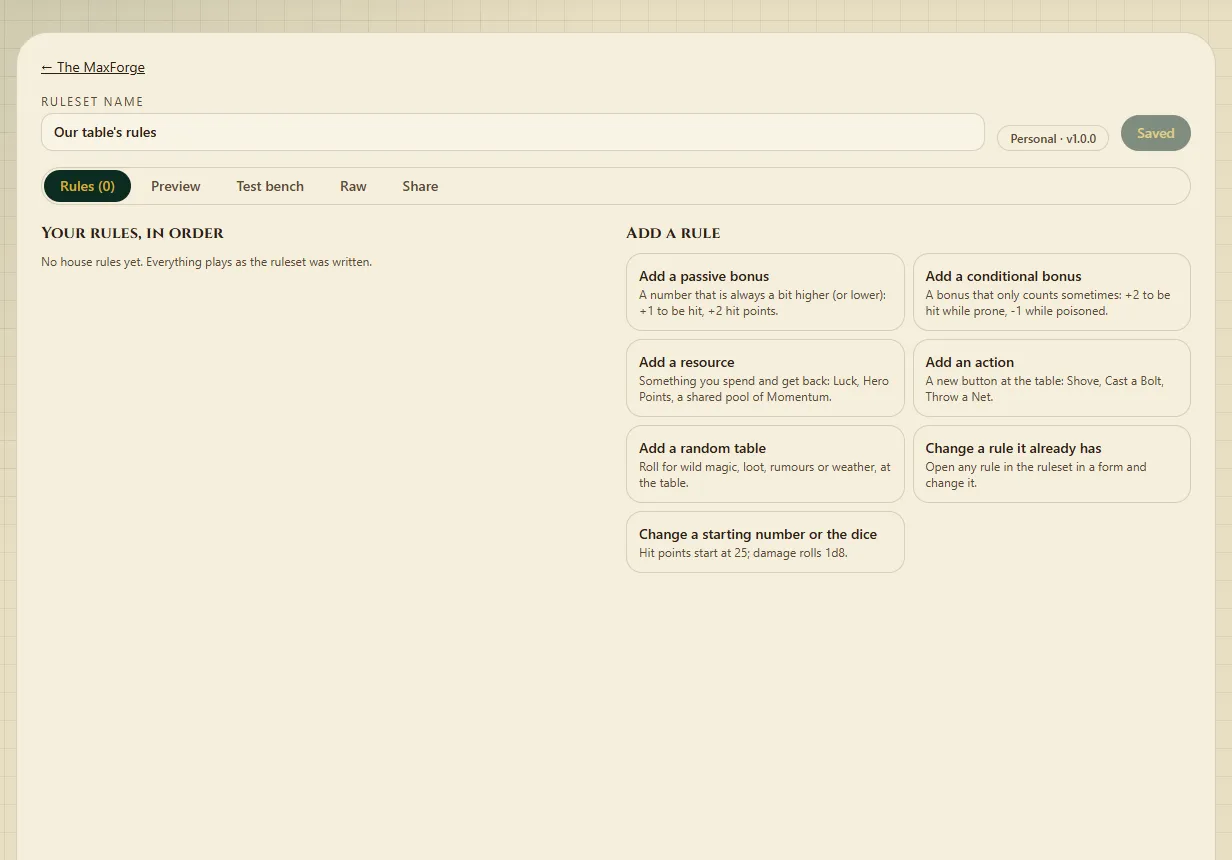
Under Start a homebrew ruleset, pick a ruleset to start from, give yours a name and press Start it. It appears under Your homebrew, marked Personal.
Open it. Under Add a rule are five helpers: a bonus that always applies, a bonus that applies sometimes, a resource, an action, and a random table. Change a rule it already has edits what is there.
Press Save. Tables pick it up the next time the host chooses it.
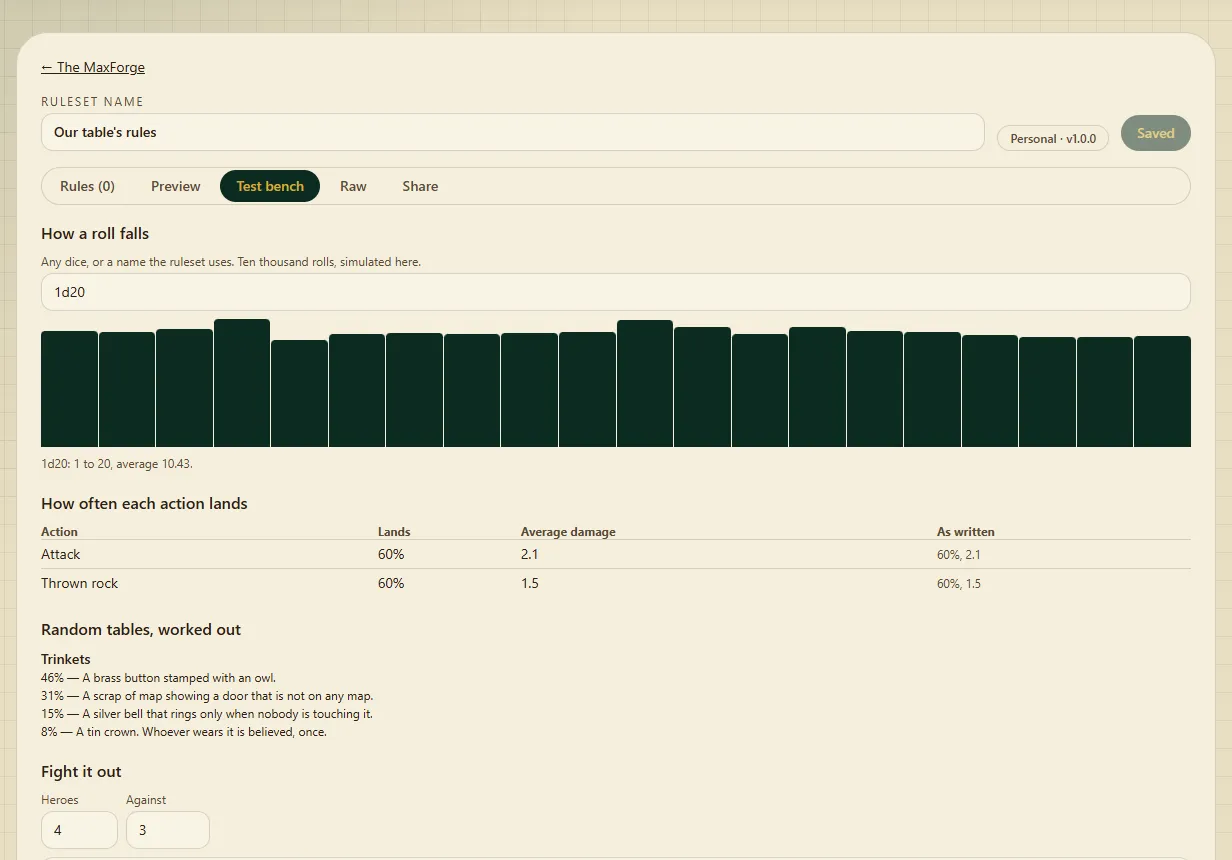
Preview shows a hero's numbers before and after your rules. Test bench has How a roll falls, how often each action lands, exact odds for random tables, Fight it out (300 practice fights) and Things to check, which lists rules that can never matter.
From its Share tab. A new ruleset starts Personal: only you can use it, and it has no code to share. Sharing needs a site admin to make it open (ask on the Feedback page); then Make a code to share and Download the ruleset file appear. Somebody else uses Bring one in with the code, or Load a ruleset file, and gets their own copy.
The ruleset directory. Right now it says The directory is not open yet — it opens once its legal paperwork is in place. Until then, rulesets are passed around by their codes.
A dungeon run as a game show. An Audience meter climbs with every big moment, a Floor clock starts again on each new floor, sponsors offer gifts that come with duties, and there are loot boxes and awards.
When a sponsor's duty is due, the host presses Kept or Broken under Agreements → Duties. Start one from the Forge page: Play a first night → Floor One.
In House rules, under Random tables, press the table you want. The result goes in the log for everybody. If the host chose Ordinary, DM may fudge, they can pick a result instead, and that is written in a log only they can see.
Where:House rules → Random tables
DMax, the AI Dungeon Master
For: Everybody
What he does, how to change his voice, and what he costs.
He tells the story at the moments worth telling — a fight starting, a natural 20, somebody going down — and can run the whole night: monsters, rooms, people. When he asks a hero for a check, that player gets a 🎲 roll button.
He never decides a result. The game settles the dice and the rules; DMax only describes them.
Yes. Table settings → Your Dungeon Master offers DMax and others — Brother Matthias, Commander Graff, Jane, Hollis, Pip and SkeptiLicious among them — with a search box. Only the voice changes — the rules, dice and board stay the same.
Yes. On one of your characters' pages, answer Do they ever run a table? and the questions after it. That character then appears in the Dungeon Master picker at tables you host.
The last box, about how they talk, is only used at tables running on their own key.
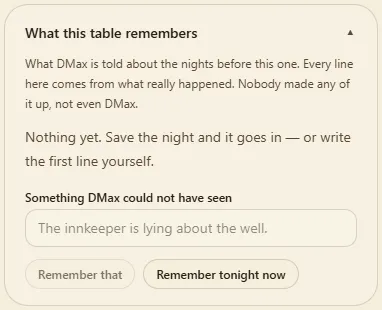
Yes. What this table remembers lists what he is told about earlier nights. Press Remember that to add something, Forget it to remove a line, or Remember tonight now.
Across the nights shows story threads he found in what the table already wrote down. Press Keep it or Not that one.
The site pays for his narration, up to an allowance per table per night. What DMax has cost tonight in Table settings shows how much is used. When it runs out he goes quiet until the next day; everything else keeps working.
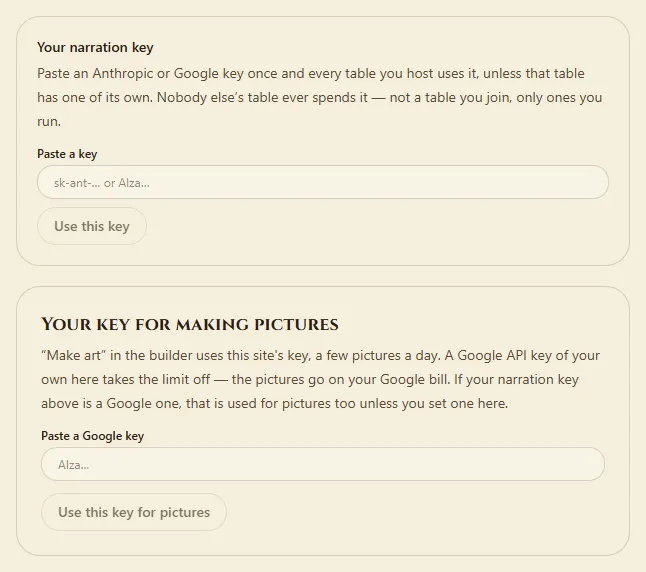
To take the limit off, bring your own Anthropic or Google key: Your narration key on your account page covers every table you host, or Or put this table on its own key covers one table. A key is never shown again once saved. Use the site's key instead switches back.
Admins: open Admin → AI & costs → Voices. Press ▶ Play in the current voice on any persona, try the candidates, and Pick one; it is used from the next line on every screen. Make the fixed lines now prepares DMax's lines ahead of time.
At a table press Read narration aloud (or 📽 → 🔊 Read narration aloud on the projector). When DMax's real voice isn't available (no voice key, the day's limit used, or the voice service at its spending limit), his lines stay as text, and a note by the switch says why.
Where:Admin → AI & costs → Voices
Friends & Discover
For: Everybody with an account
Following people, finding things to play, and the leaderboards.
One list of everything that's out for all to see: live streams, open tables, shared adventures and shared pictures. Filters narrow it — Everything, Live now, Tables, Adventures and more. Nothing behind closed doors is ever on it.
On Discover, press Follow … on one of their rows, or type their username into Follow by username. They appear under People you follow, with a way to unfollow.
Two people who follow each other are friends. Their things come first on Discover, and What they are up to shows just theirs. Friends can also see each other's friends-only leaderboard rows.
The ranked run. Press ▶ Play DMax Crawler on the home page, Leaderboards, the Forge or Discover — signed in, because your score goes on the board under your name (friends can still join with the code). DMax runs it, the dice are sealed, and it is the same run for everybody: nobody can rig a roll, say that didn't happen, change the map or the rules, or move the audience by hand.
Get as deep as you can. The board ranks the deepest map reached, then the audience, then the fewest rounds; Solo and Party have their own boards, and Fan favourite ranks on audience alone. Play as often as you like — your best counts. This season: Season 1: Dead Mall.
Who did best ranks nights at tables that chose to join in, on rulesets that keep score (today, MAX LEVEL). On those tables the host decides under Agreements → Leaderboard: Not ranked (the default), Ranked, just us (seen by the people who sat there and their friends) or Ranked, for all to see.
Press Report on its row on Discover and say what is wrong. An admin looks at it and can close the table to new players. Adventures on the community shelf have their own Report.
On the sign-in page, press Forgotten your password?, enter your recovery code and choose a new password.
There is no email reset, because no email is collected. If you lose both your password and the recovery code, nobody can get the account back. Show me a new recovery code on your account page makes a fresh one.
Your display name (your username never changes), your dice colour, your face on the board, the look of your own screens (Your room), Mute everything, and a list, just for you, of what you'd rather not run into.
Also: change your password, Sign out everywhere, and Delete my account.
On your account page. Your narration key takes an Anthropic or Google key and is used at every table you host — Test this key checks it, Take it off removes it.
Your key for making pictures takes a Google key for Make art, with no daily limit; the pictures go on your Google bill. If your narration key is a Google one, it is used for pictures too unless you set one here.
Up to 4 MB a picture and 64 MB for your whole account. Your uploads are under My pictures in the picture library; the Shared library holds what everybody has shared.
I made characters before accounts were needed. Are they lost?#
No. Sign in on the browser you made them in and open Characters. If that browser is still holding any, you are offered to claim them, and then they follow your account.
Whenever the game refuses something, it says why in words, and whether you can fix it yourself or need to ask the person running the table. Read the sentence beside the button.
If something refuses and says nothing at all, that is a bug — please tell us on the Feedback page.
Yes. At a table the map is on top and the panels are underneath, and nothing should scroll sideways. The adventure builder is cramped on a phone; a bigger screen suits it.
Check Table settings: if Who is running this table is set to A person, he stays out on purpose. If tonight's allowance is spent, What DMax has cost tonight says so — he is back the next day, or straight away on your own key.
Where:Table settings
Make art says making pictures is not switched on.#
The site's picture key is not set up. Add your own Google key under Your key for making pictures on your account page and it works straight away.
Why do some monsters show as a circle with a letter?#
They do not have a picture yet. Most creatures are still waiting for theirs; the letter is a stand-in, and they play the same.
Can I use the board with a keyboard or a screen reader?#
Yes. One press of Tab reaches the board; the arrow keys move square by square. Shift with the arrows selects a block, and Enter acts on it. A screen reader reads each square's name and what is beside it.
How do I tell you something is wrong, or that I loved something?#
Press Feedback in the top bar. It works signed in or not, and every word is read.
Roadmap in the top bar lists everything that has been built and whether a person has checked it yet. New ideas appear there once they are written up. It is made from the project's own list, so it is always up to date.
A step-by-step checklist of things that are built but have not yet been tried by a person. Much of the site is in that state. Tick the steps as you go — signed in, your ticks follow you to other devices.